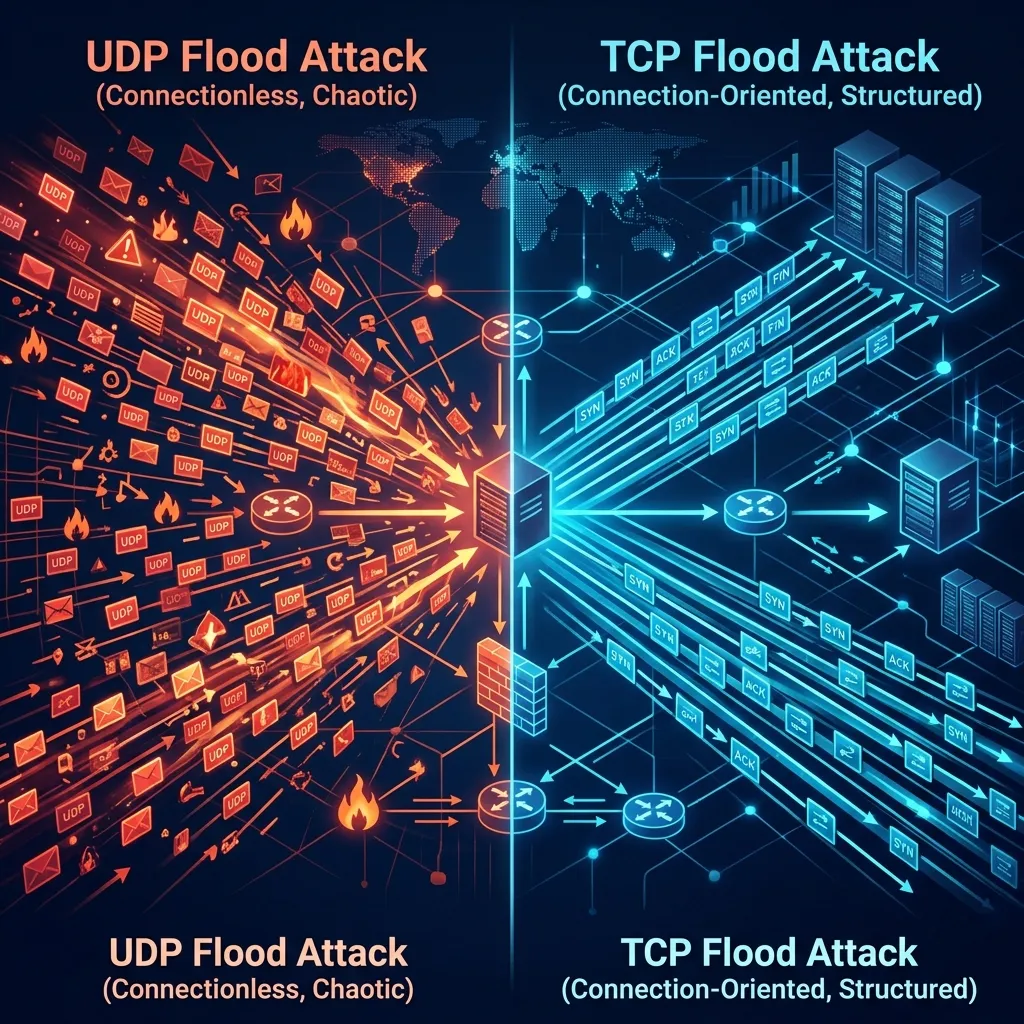
If you’re responsible for keeping a network online, you’ve probably heard the terms “UDP flood” and “TCP flood” — but do you know how they actually work, why they’re dangerous, and why they require completely different mitigation approaches?
Understanding the difference is critical, because the wrong defense against the wrong attack type means your network goes down anyway.
The Basics: UDP vs TCP
Before we talk about attacks, let’s understand the two protocols:
TCP (Transmission Control Protocol) is connection-oriented. Before any data is sent, the sender and receiver perform a “handshake” to establish a connection. This makes TCP reliable — every packet is tracked, acknowledged, and retransmitted if lost. Your web browser, email, and most applications use TCP.
UDP (User Datagram Protocol) is connectionless. Packets are sent without any handshake or acknowledgment. This makes UDP fast but unreliable — packets can arrive out of order, get duplicated, or be lost entirely. Online games, video streaming, VoIP calls, and DNS queries use UDP.
Attackers exploit the fundamental properties of both protocols — but in very different ways.
UDP Flood Attacks
How They Work
A UDP flood is the simplest and most brutal type of DDoS attack. The attacker sends a massive volume of UDP packets to random ports on your server. Since UDP doesn’t require a connection, the attacker can generate enormous traffic volumes with minimal effort.
For every UDP packet your server receives on a closed port, it has to:
- Check if any application is listening on that port
- Find nothing listening
- Send back an ICMP “Destination Unreachable” message
Multiply this by millions of packets per second, and your server’s resources are exhausted — not by processing legitimate requests, but by responding to garbage traffic.
Why UDP Floods Are Dangerous
- Massive bandwidth consumption — UDP floods can easily reach hundreds of gigabits or even terabits per second
- Easy to amplify — attackers use DNS, NTP, and Memcached servers to amplify small requests into massive responses (amplification factors of 50x to 51,000x)
- Easy to spoof — since UDP is connectionless, attackers can fake their source IP address, making it nearly impossible to trace or block by source
- No handshake required — the attacker doesn’t need to establish a connection, so they can generate traffic at maximum speed
Common UDP Flood Variants
| Variant | Amplification | How It Works |
|---|---|---|
| DNS Reflection | 28-54x | Abuses open DNS resolvers to amplify traffic |
| NTP Amplification | 556x | Exploits NTP monlist command for massive amplification |
| Memcached | 51,000x | Uses exposed Memcached servers for extreme amplification |
| SSDP Reflection | 30x | Abuses UPnP devices on home networks |
| CLDAP Reflection | 56-70x | Exploits exposed Active Directory servers |
Who Gets Targeted
UDP floods are the weapon of choice against:
- Gaming servers — most game traffic is UDP, making it easy to blend attack traffic
- VoIP providers — voice traffic is latency-sensitive and easy to disrupt
- DNS infrastructure — disrupting DNS takes entire services offline
- ISPs and hosting providers — upstream bandwidth consumption affects all customers
TCP Flood Attacks
How They Work
TCP floods exploit the connection-oriented nature of TCP. The most common variant — the SYN flood — abuses the three-way handshake that every TCP connection requires:
- Client sends SYN — “I want to connect”
- Server responds with SYN-ACK — “OK, I’m ready” (and allocates memory for the connection)
- Client sends ACK — “Let’s go” (connection established)
In a SYN flood, the attacker sends millions of SYN packets but never completes step 3. The server allocates memory for each half-open connection and waits for the final ACK that never arrives. Eventually, the server’s connection table fills up, and it can no longer accept new connections — even from legitimate users.
Why TCP Floods Are Dangerous
- Resource exhaustion — they don’t need massive bandwidth; even a small SYN flood can crash a server by filling its connection table
- Hard to distinguish from real traffic — SYN packets look identical to legitimate connection attempts
- Target application availability — while UDP floods consume bandwidth, TCP floods directly prevent your applications from accepting new users
- Sophisticated variants exist — ACK floods, RST floods, and FIN floods each exploit different aspects of TCP
Common TCP Flood Variants
| Variant | Target | How It Works |
|---|---|---|
| SYN Flood | Connection table | Fills half-open connections until no new connections are possible |
| ACK Flood | Firewall/server CPU | Sends spoofed ACK packets forcing the server to look up nonexistent connections |
| SYN-ACK Flood | Bandwidth + CPU | Reflected SYN-ACK packets from spoofed SYN packets to third parties |
| RST Flood | Active connections | Attempts to terminate legitimate existing connections |
| Slowloris | Web server threads | Opens connections and sends headers extremely slowly, tying up server threads |
Who Gets Targeted
TCP floods are common against:
- Web applications — e-commerce, SaaS platforms, banking portals
- API endpoints — login pages, payment gateways, search functions
- Load balancers — exhausting connection limits on reverse proxies
- Firewalls — overwhelming stateful firewall connection tracking tables
Side-by-Side Comparison
| Feature | UDP Flood | TCP Flood |
|---|---|---|
| Primary goal | Bandwidth exhaustion | Resource/connection exhaustion |
| Typical volume | Hundreds of Gbps to Tbps | Lower bandwidth, but equally devastating |
| Spoofing | Very easy (connectionless) | Possible but limited (handshake required) |
| Amplification | Yes (DNS, NTP, Memcached) | Limited |
| Detection difficulty | Easier (anomalous bandwidth) | Harder (looks like real connections) |
| Server impact | Network pipe saturation | Application/connection table crash |
| Common targets | Gaming, DNS, ISPs | Web apps, APIs, e-commerce |
| Mitigation approach | Bandwidth filtering at edge | Stateful connection validation |
Why You Often See Both Together
Modern DDoS campaigns rarely use a single attack type. Attackers combine UDP and TCP floods simultaneously:
- A UDP flood saturates your upstream bandwidth, making it hard to reach your network at all
- A SYN flood exhausts your server’s connection table, preventing new users from connecting
- An HTTP flood overwhelms your application layer with fake requests
This multi-vector approach is designed to overwhelm security teams — while you’re focused on the bandwidth flood, the SYN flood is quietly taking down your application.
How CoreTech Stops Both
Against UDP Floods
CoreEdge™ handles UDP floods at the network card level. Every incoming UDP packet is inspected against known attack signatures and behavioral patterns. Attack packets are dropped in nanoseconds — before they consume any bandwidth on your network.
For amplification attacks (DNS, NTP, Memcached), CoreEdge™ applies protocol-specific validation: if a DNS response arrives that nobody requested, it’s dropped immediately. No impact on your legitimate UDP traffic like gaming, streaming, or VoIP.
Against TCP Floods
CoreEdge™ uses stateful SYN validation to stop SYN floods. Instead of allowing half-open connections to reach your server, CoreEdge™ validates each connection attempt at the edge. Only fully established, verified TCP connections are forwarded to your infrastructure.
For Slowloris and slow-rate attacks, CoreDetection™ identifies connections that exhibit abnormal timing patterns — sending data too slowly or holding connections open without activity — and terminates them before they consume server resources.
Against Multi-Vector Attacks
Because CoreTech operates at both L3/L4 (CoreEdge™) and L7 (CoreDetection™), each attack vector is identified and mitigated independently. A combined UDP + SYN + HTTP flood is handled as three separate threats, each with its own optimized mitigation strategy.
How to Know If You’re Under Attack
Signs of a UDP Flood
- Sudden, massive spike in inbound bandwidth
- High packet-per-second counts with no corresponding application activity
- Network monitoring shows traffic on unusual UDP ports
- Upstream links saturated, affecting all services
Signs of a TCP Flood
- Server becomes unresponsive to new connections but existing sessions work
- Web server logs show thousands of incomplete connections
- Connection table utilization hits 100%
- Load balancer health checks start failing
Signs of Both
- Everything above, happening simultaneously
- Different monitoring systems alarming for different reasons
- Security team overwhelmed trying to triage multiple issues at once
Protect Your Network
Whether you’re facing UDP floods, TCP floods, or sophisticated multi-vector campaigns, CoreTech’s dual-engine architecture provides complete coverage:
- CoreEdge™ drops attack packets at wire speed with zero latency
- CoreDetection™ identifies behavioral patterns and adapts to evolving threats
- Full L3-L7 coverage handles every attack type in the table above
- Sub-minute mitigation from detection to full protection
Start your free 10-day trial — no credit card, no traffic limits, full protection from day one.
Want to see this in action?
Get a live demonstration of CoreTech's DDoS mitigation platform.